
기타 치트 유형
일반적인 안티치트 플러그인은 왜 일부 치트 유형을 다루지 않을까?
- 광물 엑스레이와 시드 크래킹은 서버가 받는 플레이어 행동 패킷만으로는 분석하기가 매우 어렵다.
- 플러그인은 한 분야에 특화되는 편이다. 너무 많은 기능을 다 넣은 플러그인은 ESS / CMI처럼 무거워진다.
- “시드”처럼 상당히 저수준인 요소는 플러그인보다 서버 코어에서 수정하는 편이 더 안정적이고 효율적이다.
광물 엑스레이와 시드 크래킹
섹션 제목: “광물 엑스레이와 시드 크래킹”광물 엑스레이는 핵 클라이언트가 리소스팩이나 광물이 아닌 블록을 투명하게 렌더링하는 방식 등으로 서버의 광물을 빠르게 찾아내는 것이다.
또 Minecraft의 구조물과 광물 생성은 모두 시드로 결정되므로, 시드를 역산하면 서버의 구조물 위치도 알아낼 수 있다.
광물 엑스레이와 시드 크래킹을 쓰면 아주 짧은 시간에 대량의 자원을 얻을 수 있어서, 대부분 서버의 밸런스와 경제가 흔들린다.
시드 역산 지연시키기
섹션 제목: “시드 역산 지연시키기”지형 요소별 무작위 시드 사용
섹션 제목: “지형 요소별 무작위 시드 사용”구조물과 광물마다 대응하는 시드를 바꾸면, 플레이어가 구조물이나 광물 위치를 역산하는 것을 늦추거나 막을 수 있다.
광물 같은 지형 요소와 구조물 위치 모두 역산하기 어렵게 만들려면 아래 두 설정을 함께 해야 한다. 둘 다 똑같이 중요하다.
1. Paper 지형 요소 무작위 시드 활성화
섹션 제목: “1. Paper 지형 요소 무작위 시드 활성화”서버 루트 디렉터리의 config/paper-world-defaults.yml에서 다음 설정을 켠다.
feature-seeds: generate-random-seeds-for-all: truePaper가 ConfiguredFeature마다 무작위 시드를 생성한다. 서버를 시작한 뒤 각 월드 디렉터리의 paper-world.yml에서 feature-seeds.features에 생성된 항목이 들어 있는지 확인할 수 있다.
2. Spigot 구조물 배치 등의 값 변경
섹션 제목: “2. Spigot 구조물 배치 등의 값 변경”위 Paper 설정은 ConfiguredFeature만 무작위로 바꾸고, 마을 같은 구조물의 배치 값은 건드리지 않는다. 그래서 spigot.yml의 해당 값도 바꿔야 한다.
seed-village 같은 필드는 Spigot/Paper가 월드 설정을 초기화할 때 자동으로 생성하므로, 이 필드가 있다고 해서 첫 번째 설정이 적용됐다고 볼 수는 없다. 서버가 기본으로 써 넣는 값은 바닐라와 같다.
world-settings: default: seed-village: 10387312 seed-desert: 14357617 seed-igloo: 14357618 seed-jungle: 14357619 seed-swamp: 14357620 seed-monument: 10387313 seed-shipwreck: 165745295 seed-ocean: 14357621 seed-outpost: 165745296 seed-endcity: 10387313 seed-slime: 987234911 seed-nether: 30084232 seed-mansion: 10387319 seed-fossil: 14357921 seed-portal: 34222645 seed-ancientcity: 20083232 seed-trailruins: 83469867 seed-trialchambers: 94251327 seed-buriedtreasure: 10387320 seed-mineshaft: default seed-stronghold: default이 기본값을 그대로 두면, 같은 월드 시드에서 해당 구조물의 후보 위치와 슬라임 청크를 바닐라 규칙대로 계산해 낼 수 있다. 이 단계가 효과를 보려면 월드를 생성하기 전에 해당 필드에 무작위 값을 넣어야 한다. seed-mineshaft와 seed-stronghold도 default를 숫자로 바꿔야 사용자 지정 값이 적용된다.
Matter 보안 시드
섹션 제목: “Matter 보안 시드”Matter 보안 시드 패치가 들어간 포크(현재는 Leaf뿐이다)를 쓴다면 축하한다. 보안 시드 기능을 쓸 수 있다.
지형과 생물 군계 생성은 그대로지만, 모든 광석과 구조물이 보통의 64비트 시드가 아닌 1024비트 시드로 생성된다.
이런 시드는 크래킹에 드는 시간과 자원이 어마어마해서 사실상 뚫을 수 없다. 이 기능을 쓰고 있다면 시드 크래킹은 거의 걱정하지 않아도 된다.
사용 방법: Leaf 설정 파일에서 secure-seed를 true로 설정한다.
자원 월드 초기화
섹션 제목: “자원 월드 초기화”그래도 오랜 시간에 걸친 시드 역산이 걱정된다면, 위 방법을 하나 이상 적용한 상태에서 월드를 초기화할 수 있다. 다만 이 방법은 보통 자원 월드 같은 곳에만 쓸 수 있다.
가짜 광물 설정
섹션 제목: “가짜 광물 설정”Paper에 내장된 Anti-Xray만으로도 광물 엑스레이를 상당수 막을 수 있다. 간단한 설정만 해 주면 된다.
⚠ 경고: engine-mode: 3은 Paper 1.19.3 이후 버전에서 추가되었다 ⚠
오버월드 추천 설정
설정 Ⅰ - *대역폭 소모 큼, 효과 매우 좋음*
anticheat: anti-xray: enabled: true engine-mode: 2 hidden-blocks: - copper_ore - deepslate_copper_ore - raw_copper_block - gold_ore - deepslate_gold_ore - iron_ore - deepslate_iron_ore - raw_iron_block - coal_ore - deepslate_coal_ore - lapis_ore - deepslate_lapis_ore - mossy_cobblestone - obsidian - chest - diamond_ore - deepslate_diamond_ore - redstone_ore - deepslate_redstone_ore - clay - emerald_ore - deepslate_emerald_ore - ender_chest lava-obscures: false max-block-height: 128 replacement-blocks: - amethyst_block - andesite - budding_amethyst - calcite - coal_ore - deepslate_coal_ore - deepslate - diorite - dirt - emerald_ore - deepslate_emerald_ore - granite - gravel - oak_planks - smooth_basalt - stone - tuff update-radius: 2 use-permission: false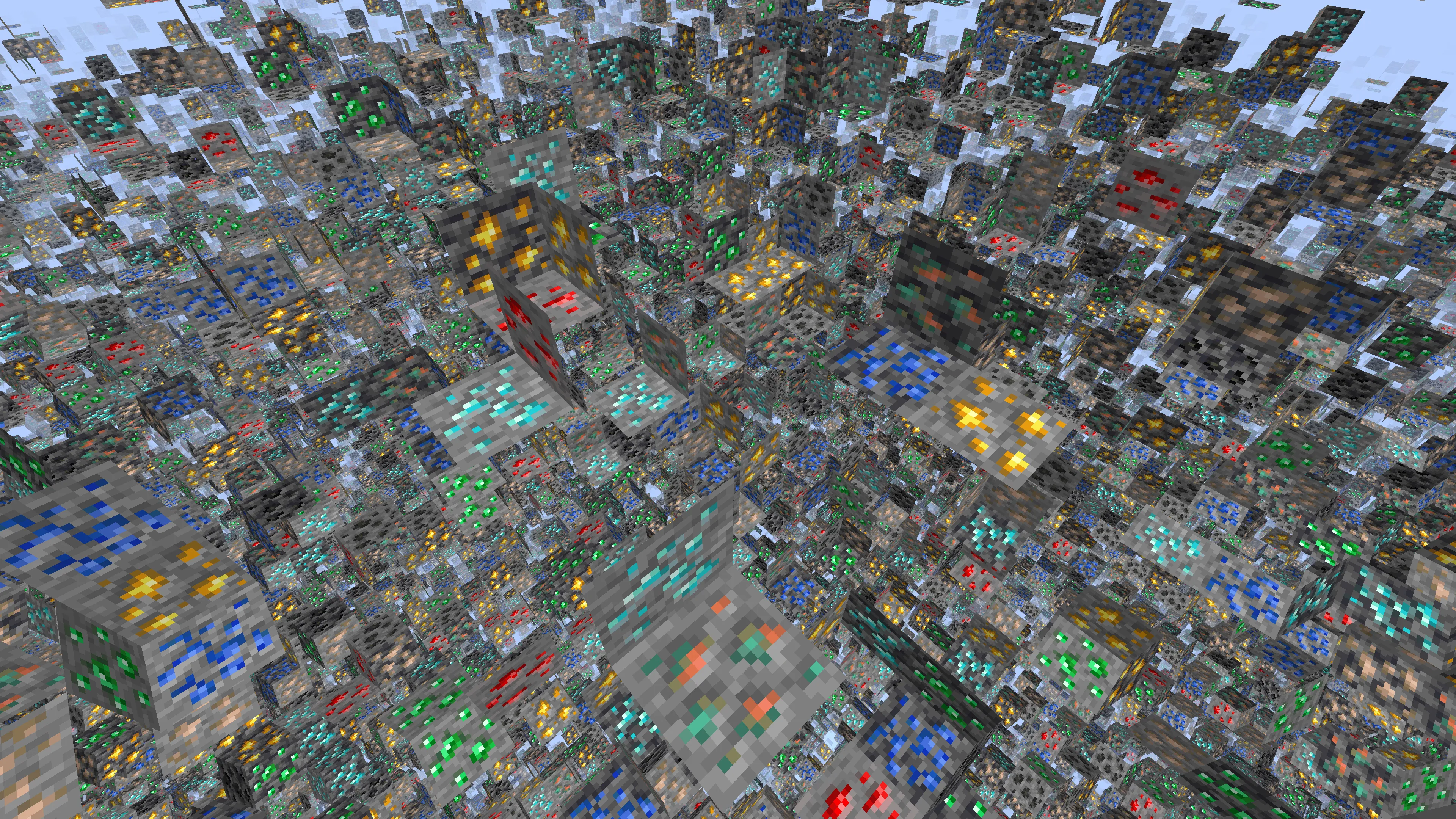
설정 Ⅱ - *대역폭 소모 보통, 효과 보통*
anticheat: anti-xray: enabled: true engine-mode: 3 hidden-blocks: - copper_ore - deepslate_copper_ore - raw_copper_block - gold_ore - deepslate_gold_ore - iron_ore - deepslate_iron_ore - raw_iron_block - coal_ore - deepslate_coal_ore - lapis_ore - deepslate_lapis_ore - mossy_cobblestone - obsidian - chest - diamond_ore - deepslate_diamond_ore - redstone_ore - deepslate_redstone_ore - clay - emerald_ore - deepslate_emerald_ore - ender_chest lava-obscures: false max-block-height: 128 replacement-blocks: - amethyst_block - andesite - budding_amethyst - calcite - coal_ore - deepslate_coal_ore - deepslate - diorite - dirt - emerald_ore - deepslate_emerald_ore - granite - gravel - oak_planks - smooth_basalt - stone - tuff update-radius: 2 use-permission: false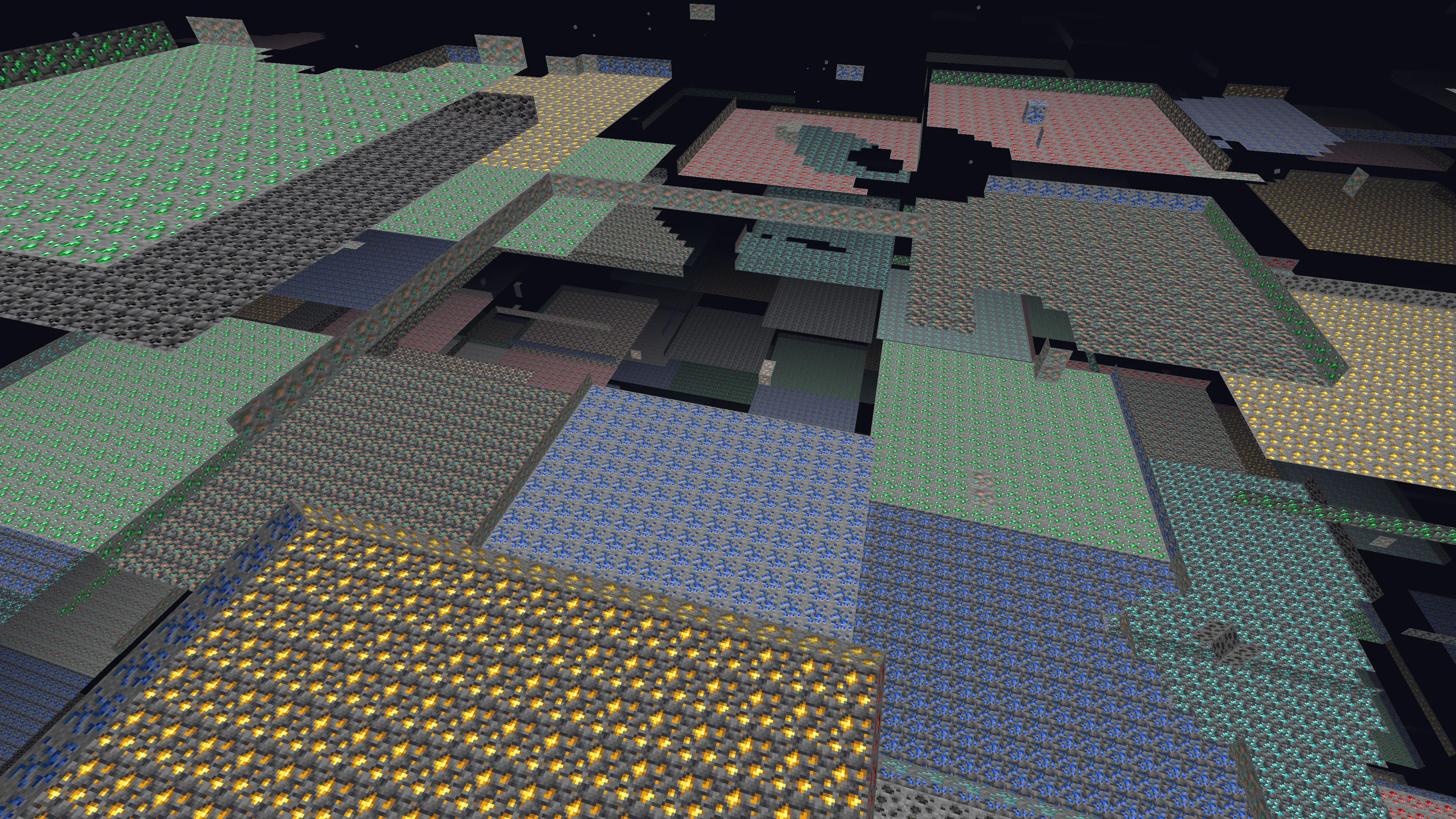
설정 Ⅲ - *대역폭 소모 적음, 효과 약함*
anticheat: anti-xray: enabled: true engine-mode: 1 hidden-blocks: - chest - coal_ore - deepslate_coal_ore - copper_ore - deepslate_copper_ore - raw_copper_block - diamond_ore - deepslate_diamond_ore - emerald_ore - deepslate_emerald_ore - gold_ore - deepslate_gold_ore - iron_ore - deepslate_iron_ore - raw_iron_block - lapis_ore - deepslate_lapis_ore - redstone_ore - deepslate_redstone_ore lava-obscures: false max-block-height: 64 replacement-blocks: [] update-radius: 2 use-permission: false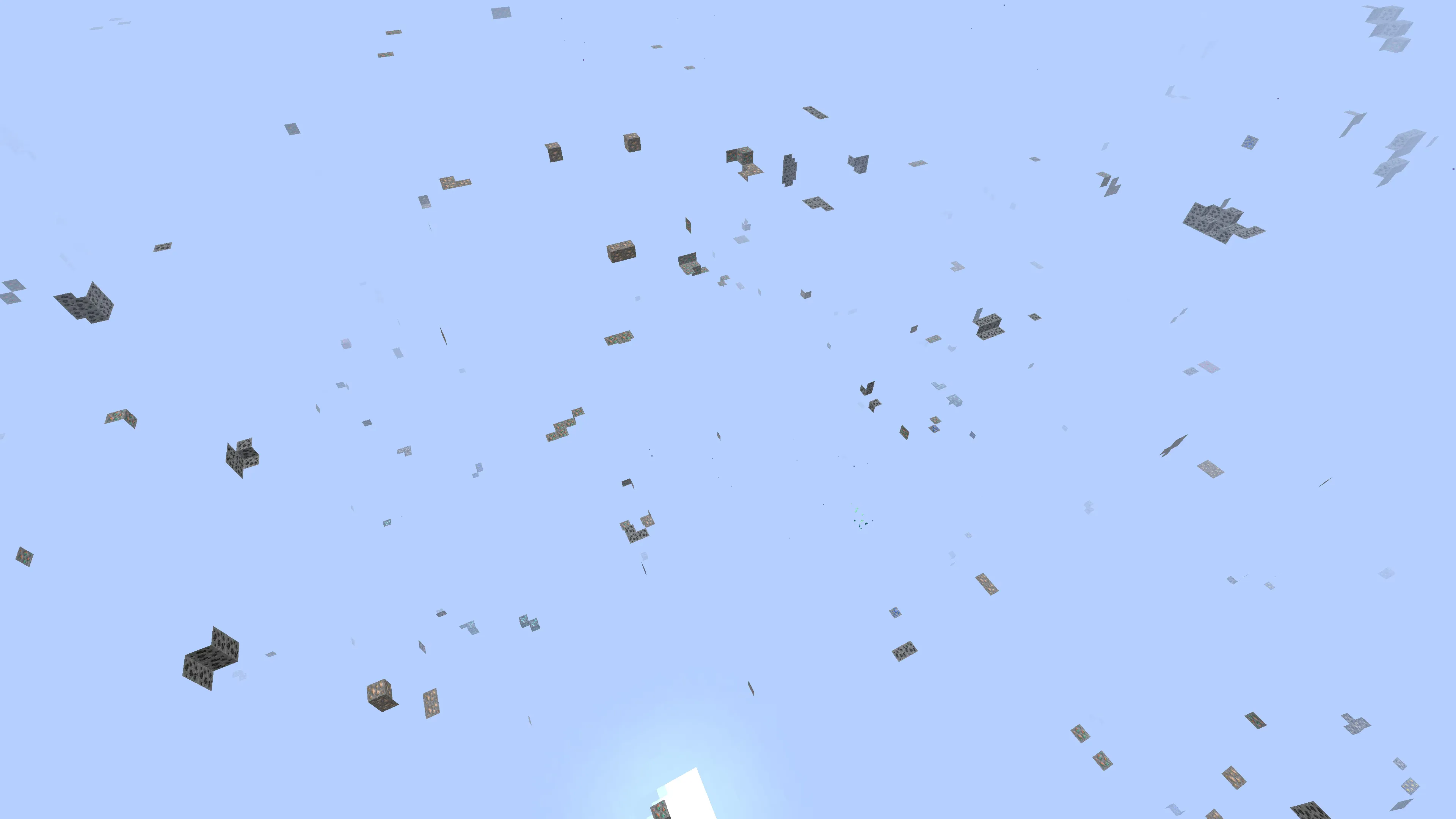
네더에 다른 Anti-Xray 설정을 쓰려면 어떻게 할까? /world_nether/paper-world.yml을 찾는다.
아래에서 마음에 드는 설정을 복사해 붙여 넣으면 된다.
네더 설정 Ⅰ - *대역폭 부담 두 배, 효과 좋음, 클라이언트 FPS 하락 가능*
anticheat: anti-xray: enabled: true engine-mode: 2 hidden-blocks: # See note about air and possible client performance issues above. - ancient_debris - bone_block - glowstone - magma_block - nether_bricks - nether_gold_ore - nether_quartz_ore - polished_blackstone_bricks lava-obscures: false max-block-height: 128 replacement-blocks: - basalt - blackstone - gravel - netherrack - soul_sand - soul_soil update-radius: 2 use-permission: false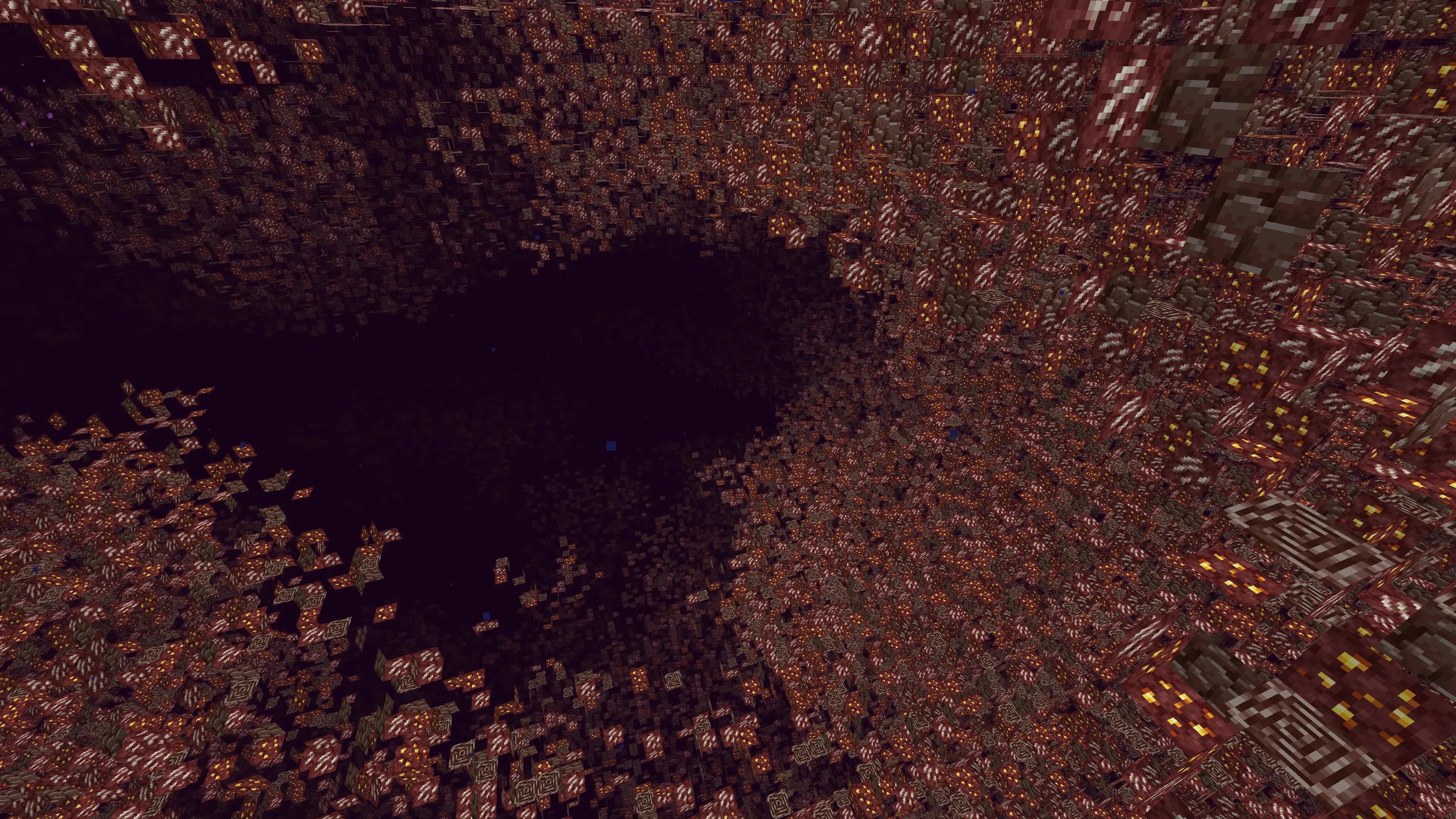
네더 설정 Ⅱ - *대역폭 사용량 약간 감소, 효과 보통 (단, 고대 잔해는 확실히 숨겨짐)*
anticheat: anti-xray: enabled: true engine-mode: 1 hidden-blocks: - ancient_debris - nether_gold_ore - nether_quartz_ore lava-obscures: false max-block-height: 128 # The replacement-blocks list is not used in engine-mode: 1. Changing this will have no effect. replacement-blocks: [] update-radius: 2 use-permission: false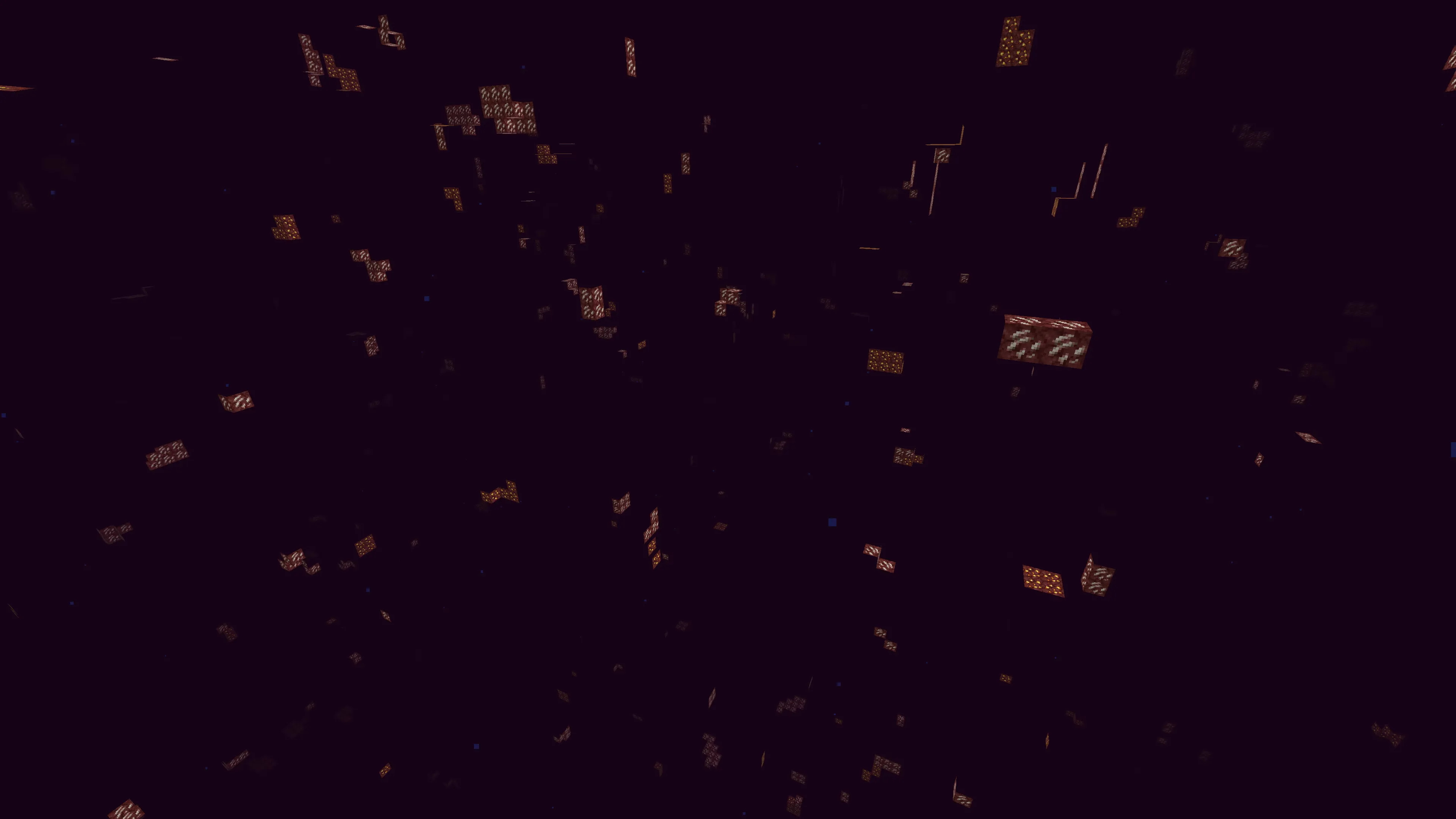
네더 설정 Ⅲ - *대역폭 사용량 크게 증가, 효과 좋은 편*
anticheat: anti-xray: enabled: true engine-mode: 3 hidden-blocks: - ancient_debris - bone_block - glowstone - magma_block - nether_bricks - nether_gold_ore - nether_quartz_ore - polished_blackstone_bricks lava-obscures: false max-block-height: 128 replacement-blocks: - basalt - blackstone - gravel - netherrack - soul_sand - soul_soil update-radius: 2 use-permission: false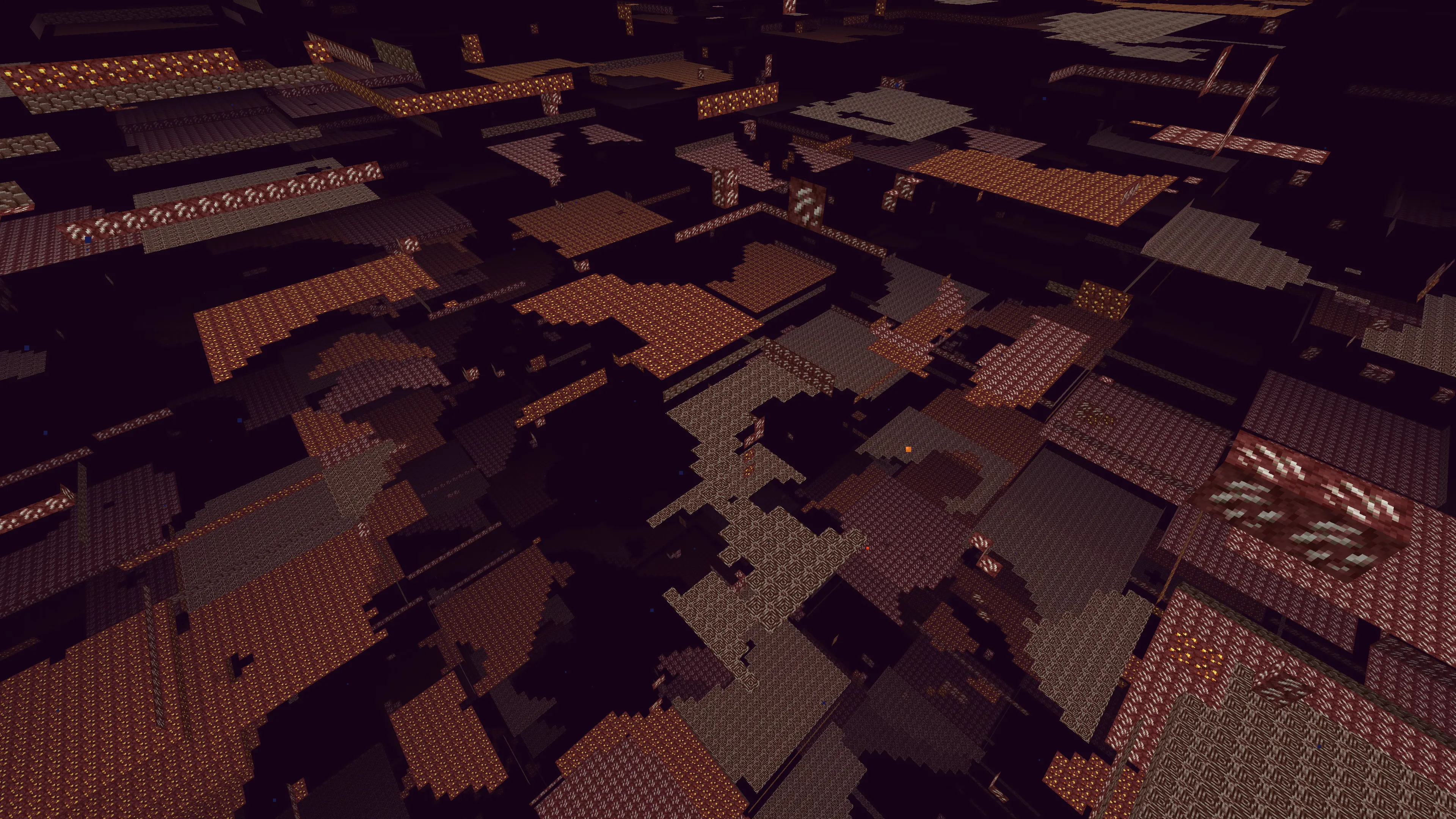
엔드에는 광물이 없으므로 world_the_end/paper.world.yml을 아래처럼 설정하는 것을 추천한다.
anticheat: anti-xray: enabled: false공기에 노출된 블록까지 숨기려면 hidden-blocks와 replacement-blocks에 air를 추가해야 한다. 하지만 성능에 영향이 매우 커서 추천하지 않는다.
용암 속 블록을 숨기려면 lava-obscures를 켠다. 다만 성능에 영향을 준다.
Anti-xray 플러그인
섹션 제목: “Anti-xray 플러그인”RayTraceAntiXray (추천)
섹션 제목: “RayTraceAntiXray (추천)”RayTraceAntiXray, 오픈 소스이면서 유료이고, 가격은 7달러뿐이다.
Paper 서버에서 engine-mode: 1을 쓸 때 숨겨지지 않고 공기에 노출된 블록을 숨겨 주는 플러그인이다.
비동기 멀티스레드 레이 트레이싱으로 플레이어가 대상 블록을 볼 수 있는지 판단하고, 볼 수 있을 때만 실제 블록 정보를 보낸다.
내장 Anti-Xray를 보완해 서버의 대역폭 부담을 줄일 수 있다(Anti-Xray를 아예 안 쓸 때보다도 대역폭을 덜 쓴다!). 빌드가 필요하면 직접 빌드하면 된다.
RayTraceAntiXray 문서는 두 가지 설정 방식을 제공한다.
최적화 버전 - 더 빠르지만 게임 경험이 떨어지고 보호력이 약함
settings: anti-xray: update-ticks: 1 ms-per-ray-trace-tick: 50 # 사용 가능한(가급적 사용 중이지 않은) CPU 스레드 수에 맞게 조정한다. ray-trace-threads: 2world-settings: default: anti-xray: ray-trace: true ray-trace-third-person: false ray-trace-distance: 64.0 rehide-blocks: false rehide-distance: .inf max-ray-trace-block-count-per-chunk: 30 ray-trace-blocks: # 여기에 블록을 더 추가할 수 있지만, # max-ray-trace-block-count-per-chunk 설정을 조정해야 할 수 있다. - chest - diamond_ore - deepslate_diamond_ore - emerald_ore - deepslate_emerald_ore - gold_ore - deepslate_gold_ore - lapis_ore - deepslate_lapis_ore - spawner world_nether: anti-xray: # ancient_debris(고대 잔해)는 공기에 노출된 곳에 자연 생성되지 않는다. # 일반 engine-mode: 1로 충분하므로 네더에서는 레이 트레이싱을 끈다. ray-trace: false # 월드 이름에 맞게 조정한다. world_the_end: anti-xray: ray-trace: false보안 버전 - 느리지만 게임 경험이 더 좋고 보호력이 강함
settings: anti-xray: update-ticks: 1 ms-per-ray-trace-tick: 50 # 사용 가능한(가급적 사용 중이지 않은) CPU 스레드 수에 맞게 조정한다. ray-trace-threads: 2world-settings: default: anti-xray: ray-trace: true # 자원이 약 세 배 더 든다. ray-trace-third-person: true ray-trace-distance: 80.0 rehide-blocks: true rehide-distance: 76.0 max-ray-trace-block-count-per-chunk: 60 ray-trace-blocks: # 여기에 블록을 더 추가할 수 있지만, # max-ray-trace-block-count-per-chunk 설정을 조정해야 할 수 있다. - chest - diamond_ore - deepslate_diamond_ore - emerald_ore - deepslate_emerald_ore - gold_ore - deepslate_gold_ore - lapis_ore - deepslate_lapis_ore - mossy_cobblestone - spawner # 월드 이름에 맞게 조정한다. world_nether: anti-xray: # ancient_debris(고대 잔해)는 공기에 노출된 곳에 자연 생성되지 않는다. # 일반 engine-mode: 1로 충분하므로 네더에서는 레이 트레이싱을 끈다. ray-trace: false # 월드 이름에 맞게 조정한다. world_the_end: anti-xray: ray-trace: false